
描述:通过ssh root连接本地用virtualbox创建的ubuntu虚拟机失败
1 | $ ssh root@10.7.132.xx |
方案:
在virtualbox的ubuntu中(10.7.132.xx的服务器)vim/etc/ssh/sshd_config
找到PermitRootLogin without-password 改为 PermitRootLogin yes
如下图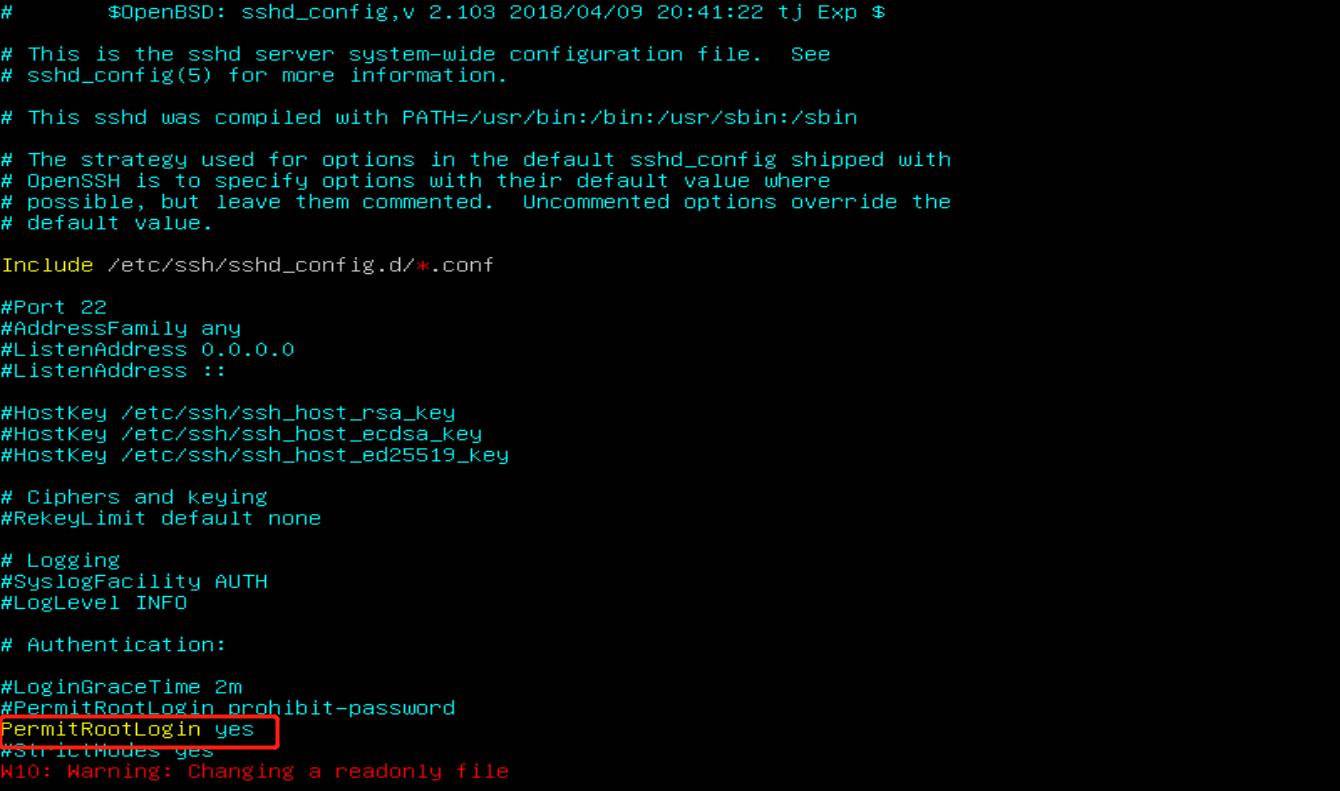
重启SSH服务
1 | $ sudo service ssh restart |
缺失模块。
1、请确保node版本大于6.2
2、在博客根目录(注意不是yilia根目录)执行以下命令:
npm i hexo-generator-json-content --save
3、在根目录_config.yml里添加配置:
  jsonContent:
    meta: false
    pages: false
    posts:
      title: true
      date: true
      path: true
      text: false
      raw: false
      content: false
      slug: false
      updated: false
      comments: false
      link: false
      permalink: false
      excerpt: false
      categories: false
      tags: true